
How To Change OCBC Access Code
Is your OCBC bank iBanking access code too difficult to remember?
You can change it to a memorable one for easy OCBC iBanking login.
Follow the guide below to change it.
Advertisement
How To Change OCBC Access Code
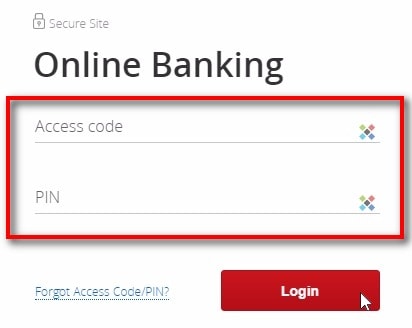
Login to OCBC Internet Banking
- Enter “Access code” & “PIN“
- Click “Login“
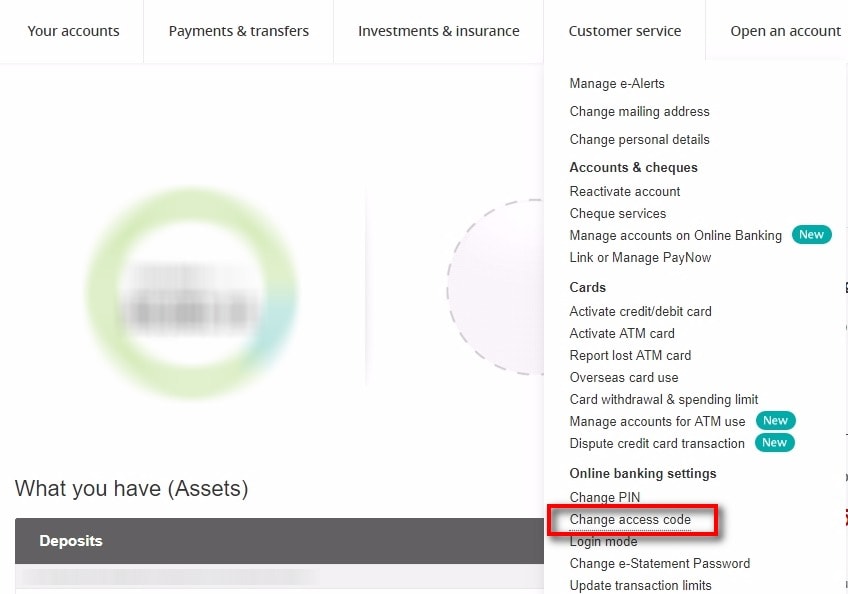
Change Access Code
- Go to “Customer service“
- Click “Change access code“
Advertisement
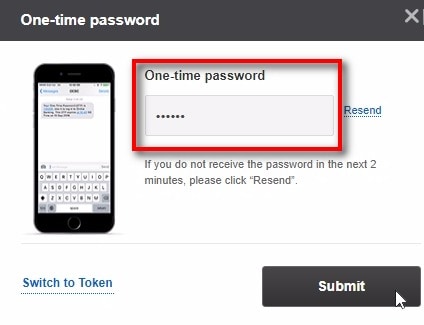
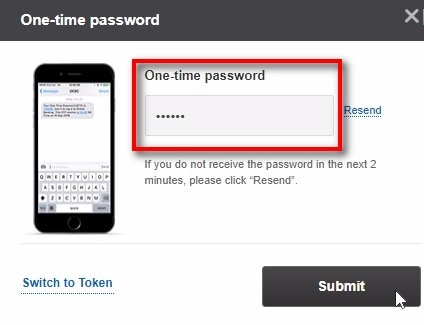
One-Time Password
- Enter OTP when prompted
- Click “Submit“
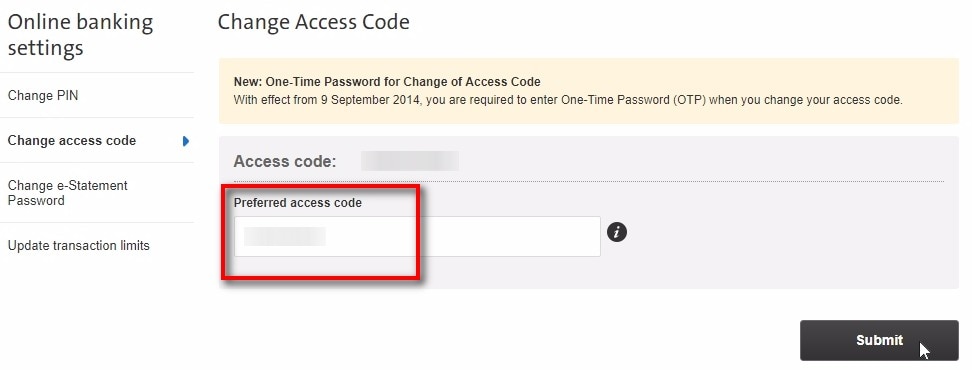
Preferred Access Code
- Enter your preferred access code
- Note: Letters and numbers only (6 to 14 characters)
- Click “Submit“
One-Time Password
- Enter OTP when prompted
- Click “Submit“
Change success
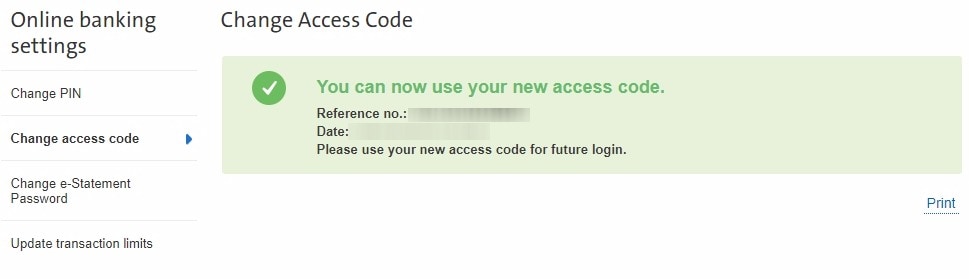
You can now use the original access code or your preferred access code in future.
I hope this article helped you learn how to change OCBC internet banking access code easily.
Sources
- Screengrab from OCBC