
How To Check POSB/DBS Account Balance Online
Need to check your POSB/DBS balance?
You can do it online through iBanking, digibank app, Phone Banking, SMS Banking, ATM or VTM (Video Teller Machine).
Advertisement
The fastest way to check your bank account balance is by accessing POSB/DBS iBanking or digibank app.
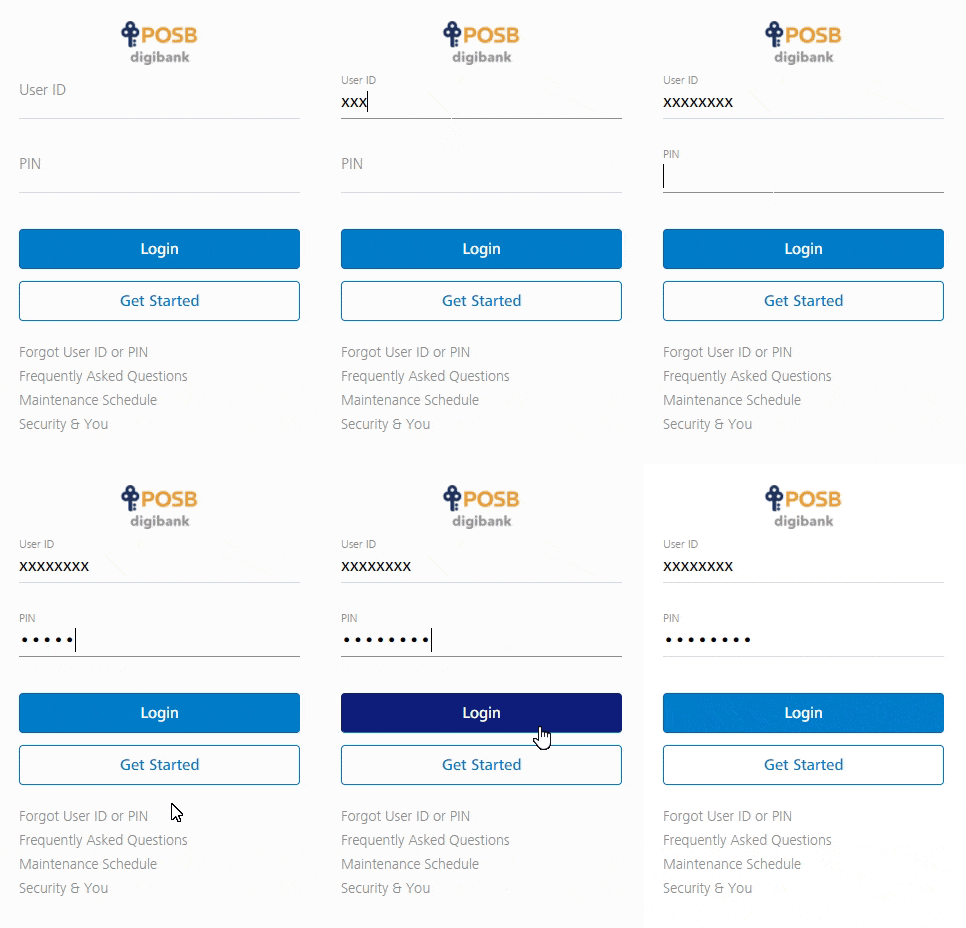
How To Check POSB/DBS Balance Online Using iBanking
With internet banking, you can access your account to check account balance online in just 2 simple steps.
- Login to your POSB/DBS Internet Banking platform.
- Under “Deposits” -> Your account balance can be seen in the “Available Balance” column
- You can also see your account number here.

Advertisement
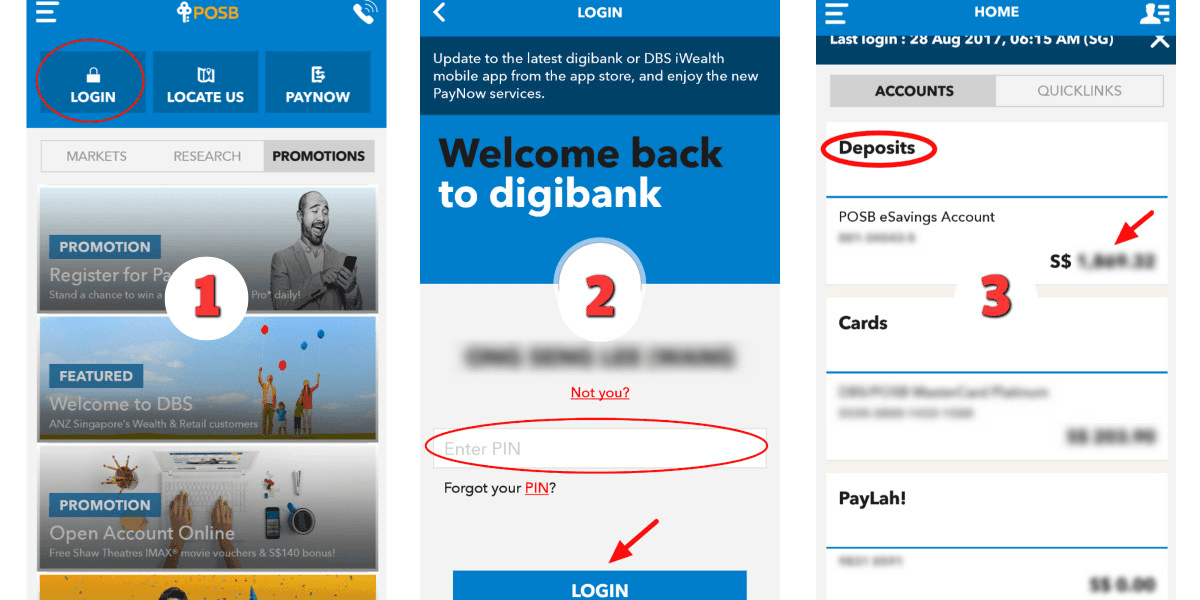
How To Check POSB/DBS Balance using digibank
- Tap on “Login“
- Enter your “Pin number“
- Tap on “Login“
- Under “Deposits” -> Your account balance showed here
How To Check POSB/DBS Balance Through SMS
Get registered with SMS banking.
Then SMS the following to 77767 to check account balance:
Balance<space>Last 4 digits of Account
E.g. “Balance 1234”
You can also access the nearest POSB/DBS ATM or VTM. Check out the location here.