
How To Check OCBC Account Number
This is a guide on how to check OCBC account number with internet banking.
You might have a hard time remembering your FRANK savings account number or your kid’s CDA account number.
Advertisement
There are just too many numbers to remember!
No worries, just follow the steps below to look for it.
How To Check OCBC Account Number using iBanking
Login to OCBC iBanking
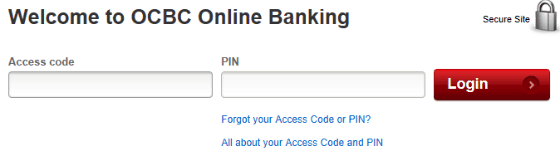
- Enter “Access code” & “PIN“
- Click “Login“
Advertisement
Click on “Details/Transactions”
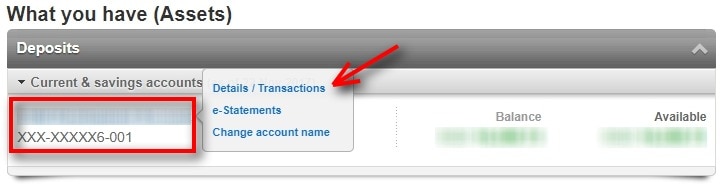
- Under “What you have (Assets)“, you can see your account number partially.
- To see the full account number, click on “Details/Transactions“
Click on Account Name
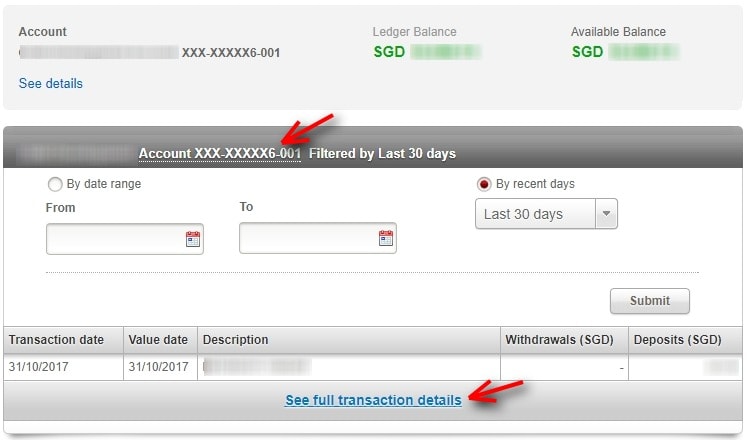
- Click on the account name or “See full transaction details“
Enter One-time password
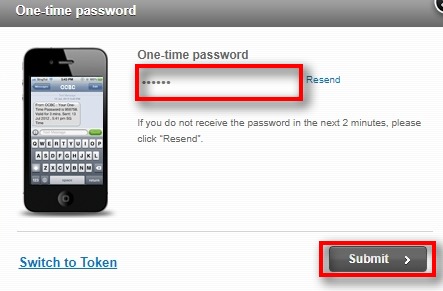
- Input OTP when prompted
- Click on “Submit“
Full Account Number Revealed
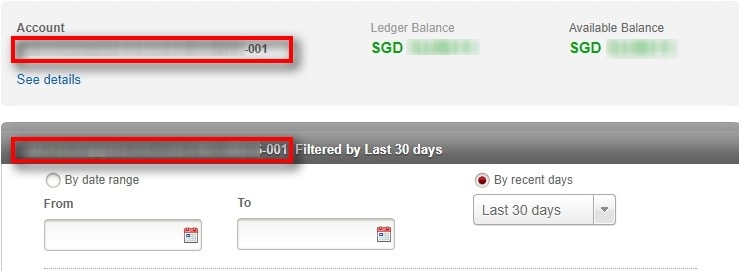
- You can see your full account number at the location indicated.
I hope this article helped you learn how to check OCBC account number. You may also want to see our guide on activating OCBC Cards for travel use.
Sources
- Screengrab from OCBC